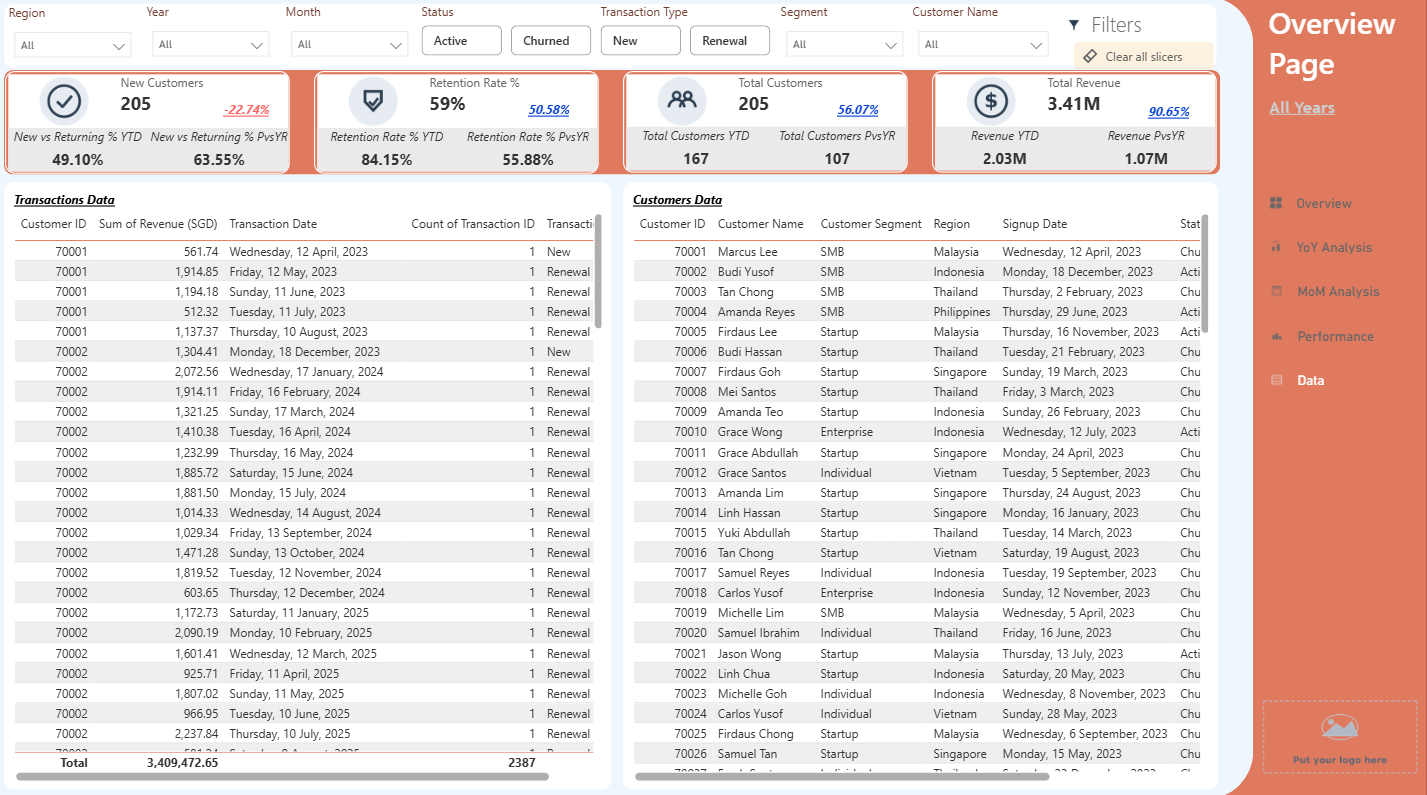
See the difference design makes
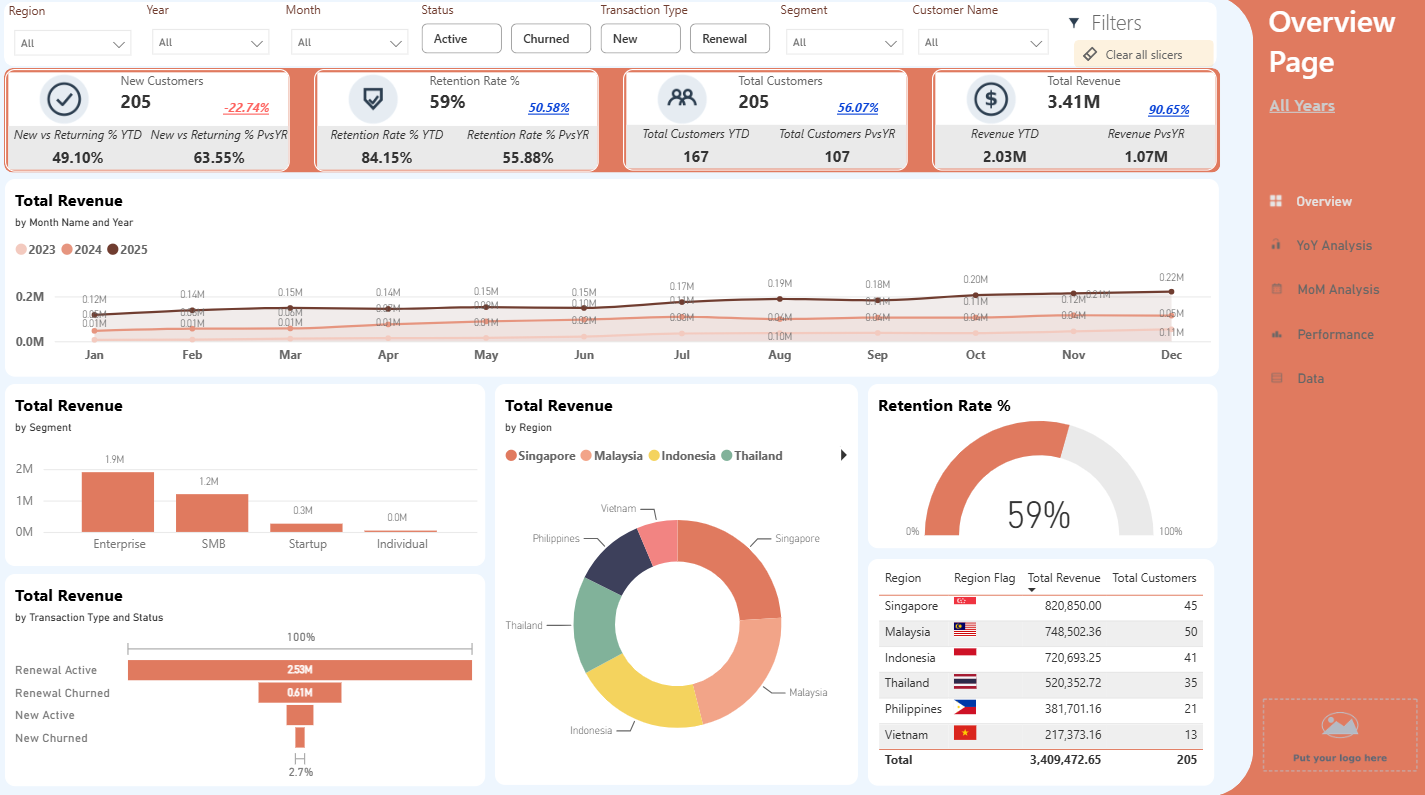
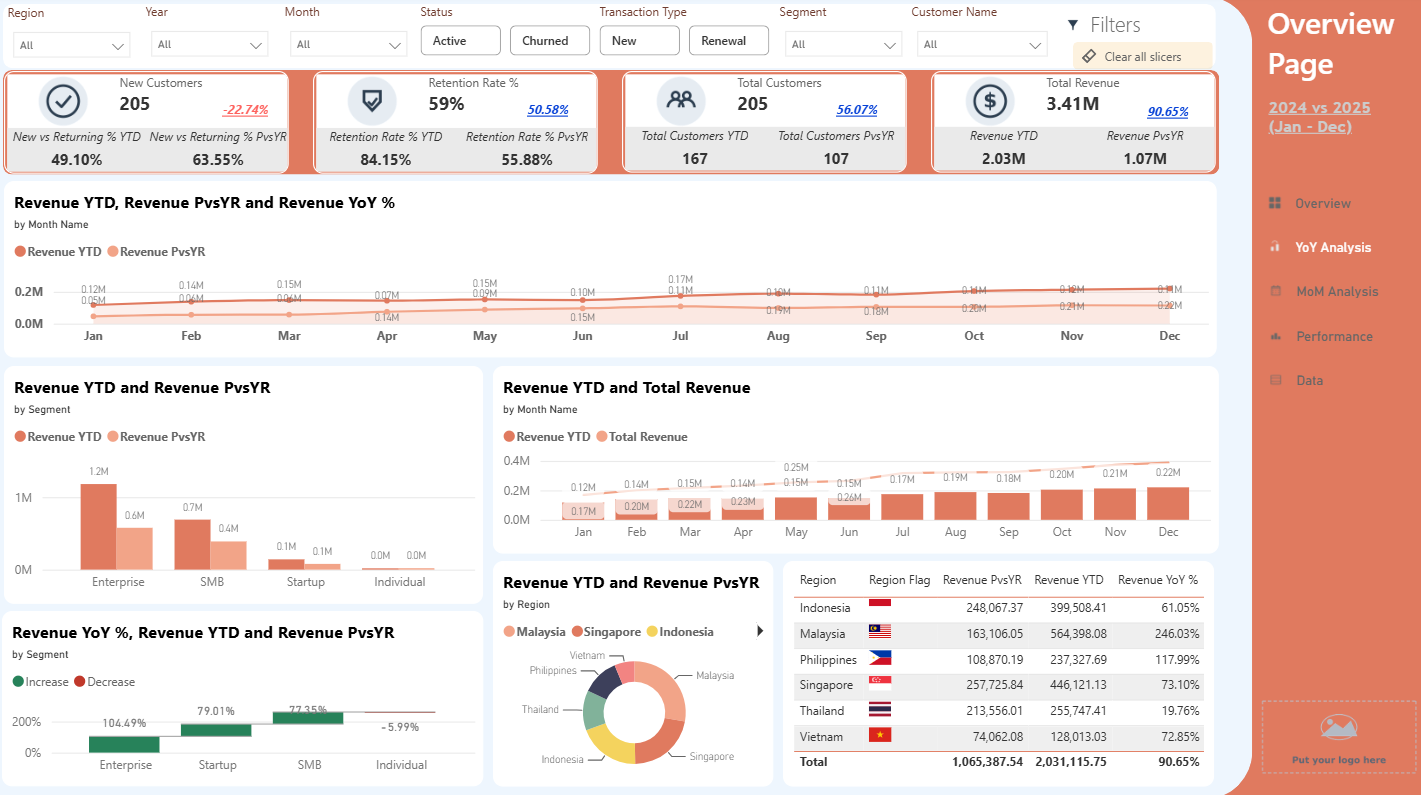
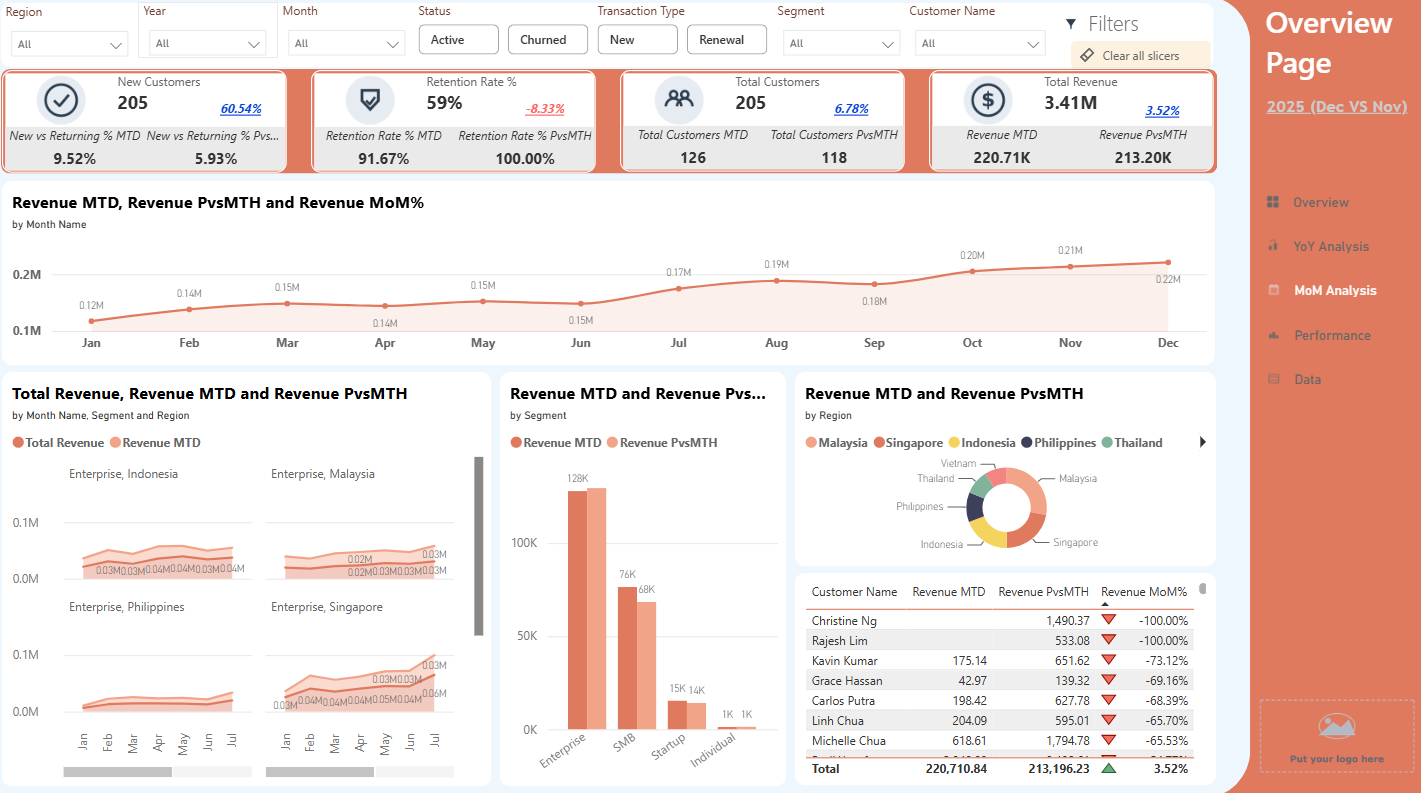
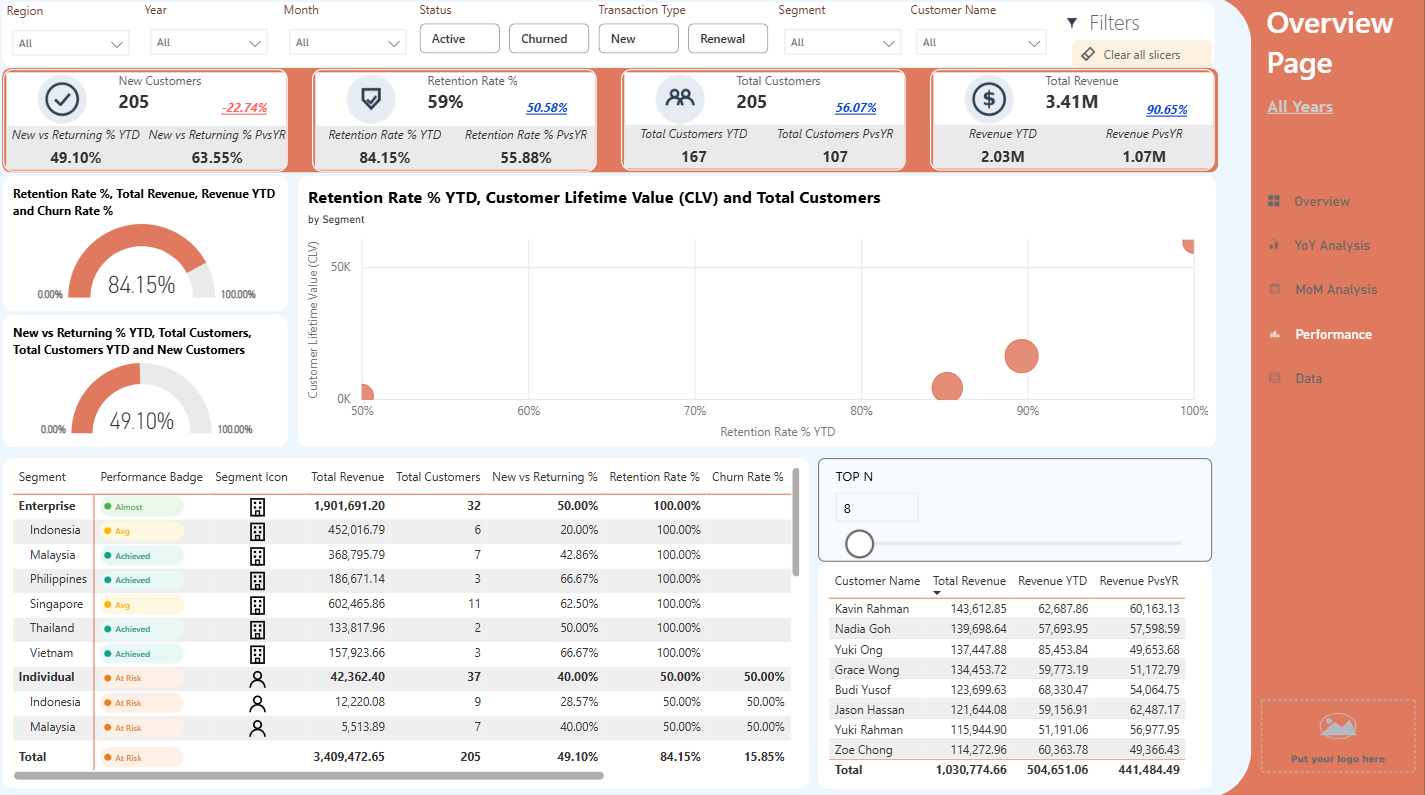
The same numbers, presented two ways.
BEFORE — a dashboard without design
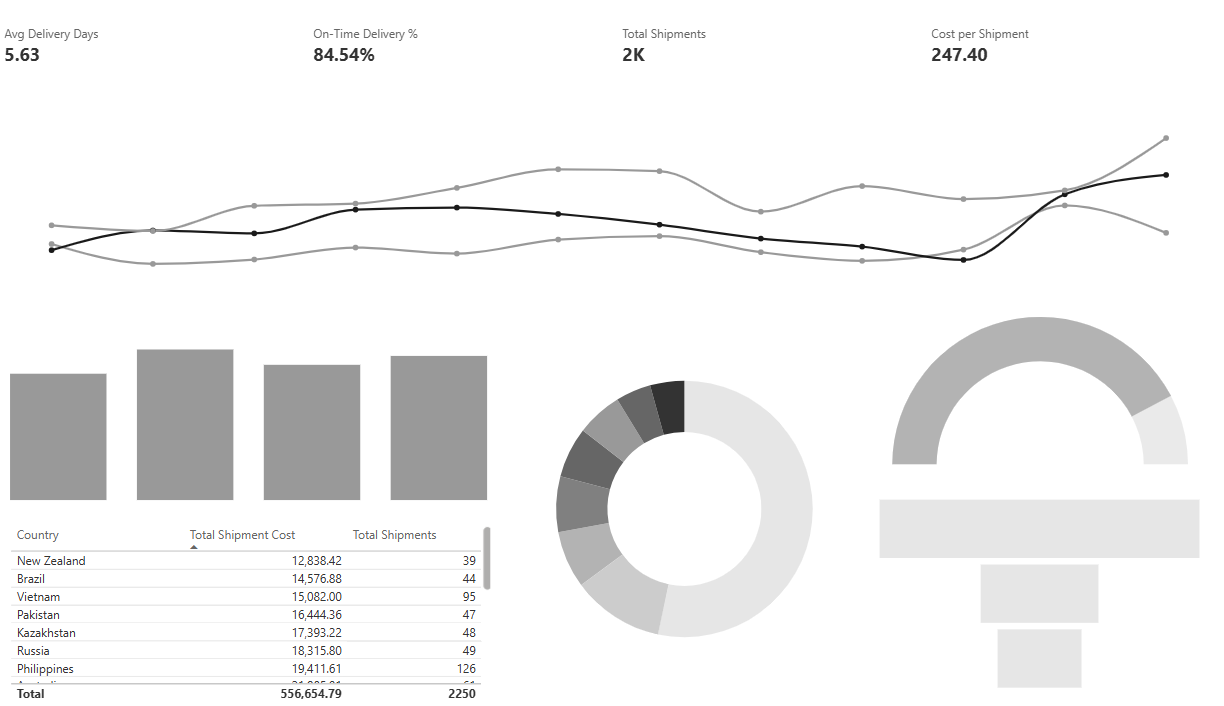
AFTER — my designed dashboard
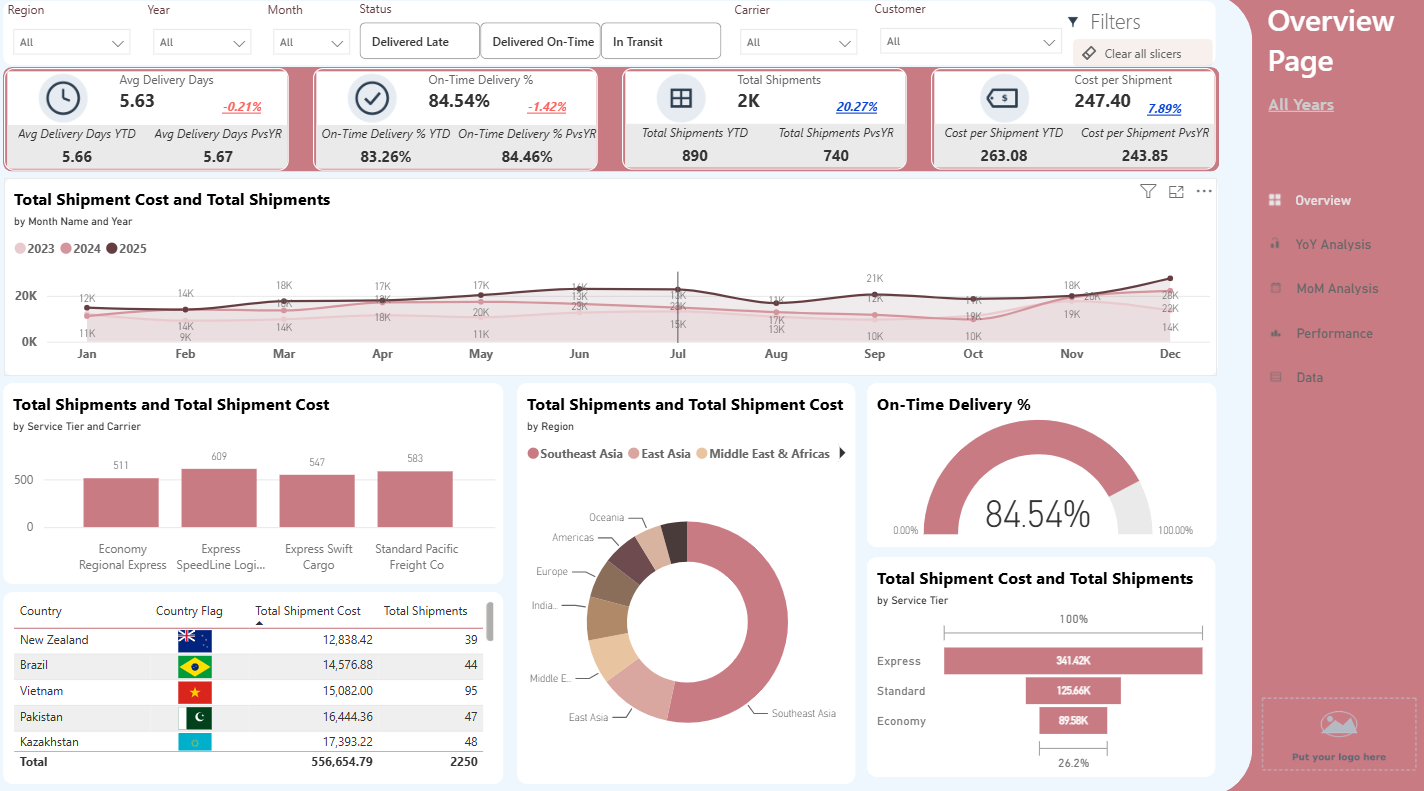
Ready-to-use Power BI templates — for businesses consolidating their reporting, and for anyone who just wants to see their numbers clearly. No Power BI experience required.
No credit card needed for the free download
Every purchase includes 30 days of support — you're never left to figure it out alone
Pick a color theme
See the live dashboard change instantly — click any color below.
Start with a ready-made professional dashboard.
Use a polished design built to impress.
Start with a proven structure and customize it.
Get a professional Power BI template. Save time. Build with confidence.
Get My Power BI Template →The same numbers, presented two ways.
Whether you've never opened Power BI or you use it every day, there's a starting point here.
SMEs and larger companies consolidating scattered spreadsheets into one dashboard everyone can actually read — no in-house Power BI skill required to get started.
Learn Power BI through practical templates and real-world examples — whether you're building your resume, improving your work, developing new skills, or preparing for your next career move.
Already know your way around DAX — and would rather start from a solid template than rebuild the same layout for the tenth time.
The Business KPI Snapshot is a full working dashboard: revenue trends, category breakdown, year-over-year comparisons. Download it and see exactly how the paid templates are built — before you spend a cent.
You already know your business. You just need to see where to look — what's working, what's not, and what to focus on next. Five pages, each built to answer a different question.
Pick the one that matches what you're building, or start with the free Business KPI Snapshot to see how it all works.
Fill in the included data file with your own numbers, open the dashboard, and refresh. The model, measures, and pages are already built.
Every color theme, KPI card, and comparison view is done. You just bring the story.
A whole glance at your company's story — the trend, in one view.
See how this year compares to last — the fields that matter, side by side.
The trend broken down by month, for every year — spot the highs, lows, and turning points.
Top performers, averages, and one factor plotted against another — see what's actually driving results, and what's holding them back.
Every underlying record, one click away — export it anytime, anywhere.
Open a live, interactive version — every filter and page, exactly as it arrives when you download it.
Every template includes the full data model, pre-built DAX, and your choice of 10 color themes. 58% off for a limited time.
Choose a theme and update the entire dashboard instantly — no manual recolouring required.
YoY, MoM, running targets, funnels and more — key calculations are already built in.
Professional KPI and navigation icons are included, ready to use across your dashboard.
Explore the template with realistic sample data, then switch to your own data when you're ready.
Connect your data in around 20 minutes with a guide created specifically for your template.
Need help? We're here for 30 days after purchase. Just email us with your question — we'll help you get your dashboard working.
Each dashboard comes as two ready-to-open Power BI files (.pbix) — one pre-loaded with sample data so you can explore immediately, and one linked to a blank data file for your own numbers. The included Getting Started Guide walks through both.
No. Power BI Desktop is free to download from Microsoft. You'd only need a paid license if you want to publish reports online for others to view.
No — every template comes with a step-by-step setup guide written for beginners. If you can use Excel, you can follow along.
Not natively — Power BI Desktop is Windows-only, and Microsoft has confirmed there are no plans to change that. Mac users typically run it through Parallels, Boot Camp, or a Windows virtual machine.
Yes — every template includes 10 ready-made color themes, and you're free to customize colors, fonts, and add your own logo.
Custom dashboard builds are available as a separate service — reach out and describe what you're trying to track.
Every template ships with a step-by-step guide, so you're set up to do it yourself. If you get stuck in your first 30 days, email me directly and I'll help. See how it works.
You're never left to figure it out alone — even though you won't need to.
A step-by-step guide comes with every template, so setup is something you can do yourself, on your own schedule.
Stuck on something in your first 30 days? Email user@powerbimadesimple.co and you'll hear back from me directly, not a bot.
Include your order number and what you're stuck on — a screenshot helps me solve it faster.
Templates cover the common cases — but if your data doesn't fit a template, custom dashboard builds are available too.